
Wireless, now remotely visible in your BMS
W-BACnet, our wireless alternative to BACnet MS/TP cable, can now integrate seamlessly into your building control workflow.
With the new firmware 4.3.0, we’re introducing Remote Diagnostics across all our supported W-BACnet products, including our devices and our modules. This new capability exposes wireless network diagnostics as standard BACnet objects, making it possible to monitor network health, set alarms, build dashboards, and proactively manage W-BACnet installations, using the tools you already work with every day.
For the first time, your wireless infrastructure becomes a measurable part of your building control workflow.
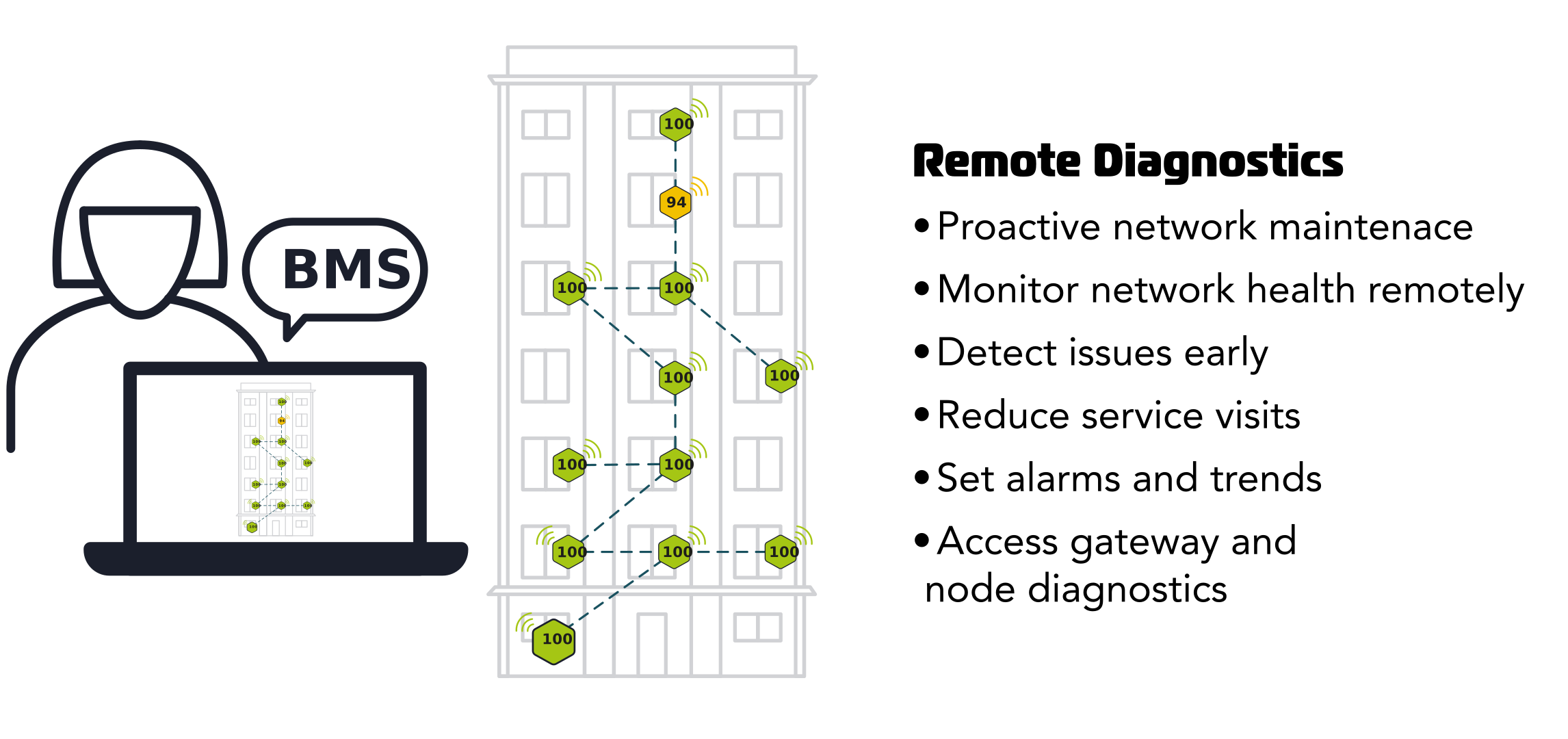
Move from reactive troubleshooting to proactive network management
In most building control systems, controllers and equipment are continuously monitored, while the communication network remains largely invisible.
When communication issues occur, troubleshooting often begins only after performance has been affected.
W-BACnet Remote Diagnostics changes that. By exposing wireless network data in your BMS, you can monitor network health, identify emerging issues, and create alarms before communication problems impact operations.
Move from reactive troubleshooting to proactive network management.
What is W-BACnet Remote Diagnostics?
W-BACnet Remote Diagnostics is a new firmware-based capability for W-BACnet installations. It exposes wireless network diagnostics as standard BACnet objects that can be imported into your BMS and used alongside other building data.
No separate software, licenses, subscriptions, or additional hardware are required.
Once imported, the diagnostic points can be used to monitor network health, create dashboards and graphics, trigger alarms based on network conditions, support remote troubleshooting, and document long-term network performance.
Why it matters

Make wireless visible.
Monitor network health, node status, and performance directly in your BMS.

Detect issues right away.
Alarms and diagnostics enable proactive maintenance, faster response times, and fewer unexpected service calls.

Troubleshoot faster.
Quickly determine whether an issue originates in the wireless network or an end device, using the tools and workflows you already know.
Diagnostics data available in your BMS
W-BACnet Remote Diagnostics provides both gateway-level and node-level information as BACnet objects. While diagnostics are available for both gateways and nodes, all data is accessed through the gateway. Together, these diagnostics provide a detailed picture of network performance across the entire wireless W-BACnet installation. The data is updated every 2 minutes. Technical documentation, instructions and full list of diagnostics can be accessed in our full manual.
Gateway diagnostics:
- – Gateway uptime
- – Connected wireless node count
- – Connected MS/TP device count
- – Gateway RS485 configuration
- – Firmware update status
- – Restart history and restart reasons
- – Communication error counters
- – Queue and fault statistics
Node diagnostics:
- – Packet Delivery Rate (PDR)
- – Parent link signal strength (RSSI)
- – Parent node information
- – RS485 configuration information
- – Local MS/TP MAC addresses of each node
- – Configured device name of each node
- – Mesh link quality from node to gateway
Compatible with your BMS. Built for you.
W-BACnet Remote Diagnostics is demonstrated using Niagara, one of the most widely used BMS platforms in building automation. But the capability is not limited to Niagara.
Because diagnostics are exposed as standard BACnet objects, the data can be integrated into any compatible BACnet-based building management system that supports importing subordinate BACnet devices.
Whether you’re operating a single facility or managing a portfolio of buildings, diagnostics data becomes available through the same tools already used to monitor and manage building performance.
The result is a seamless operator experience, where wireless network diagnostics are managed alongside the rest of the building system using familiar tools and workflows.